Class logo:  Broadway (2007)
Class logo: Broadway (2007)

Comp 160
Intro to computer gaming


Overview Comp 160 Class information Class details Outline XNA Tools

Overview

Computer gaming is a vibrant multi-billion dollar industry that offers exciting career opportunities for computer scientists as well as visual artists. The Rice Computer Science department and Pi Studios, a local computer game company (best known for their work on the Call of Duty series) are offering a full-year program designed to expose Rice students to the theory and practice of computer game creation. This first class, Comp 160, is designed to provide a hands-on introduction to the basic math and programming skills necessary to build computer games. In the last part of Comp 160, student groups will have the opportunity to construct a prototype of an Xbox 360 game of their own design and pitch their game concept to a fall jury consisting of the instructor and two members of Pi Studios.

Concept art from Bomberman 3D (2005)
With the approval of the jury, student groups may then take Comp 460 (Advanced computer game creation) in the spring. In Comp 460 each group will add one or two Visual Arts students and develop a refined version of their proposed game that includes in-game art and a complete user interface. At the end of the semester, each group will demo their games for a spring jury consisting of three members of Pi Studios including John Faulkenbury, Pi Studio’s Creative Director. (For Visual Arts students interested in taking Comp 460 as a Visual Arts elective, please contact jwarren@rice.edu for more information.)
Finally, at the discretion of the spring jury, some student groups may then be invited to continue work on their games, mentored by members of PI Studios during the following summer. This mentoring may lead to the game being eventually submitted to an independent games festival such as the IGF, an internship for the students at PI Studios or, in a few cases, the game being pitched by PI Studios to Microsoft for release on Xbox Live Arcade.

Comp 160

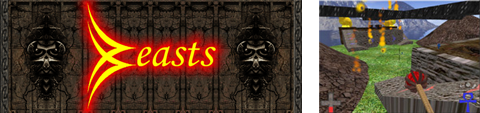
Logo and screen shot from Beasts (2002)
Click here for a low-res video clip or here for a high-res one
The first two thirds of the class will provide an introduction to the basic mathematics and programming skills necessary to build computer games. The main focus of this part of the class will be an eight-week lab involving building a simple video game for the Xbox 360 using the programming language C# in conjunction with the XNA toolkit. (One interesting feature of games developed using XNA is that the resulting games can be downloaded and run on an actual Xbox 360.) In the last third of the class, students will have the opportunity to design and construct a prototype of a game suitable for Xbox Arcade.

Class information

Prerequisites: Working knowledge of object-oriented programming as demonstrated by

Students who do not have this basic background and wish to major in CS are urged to take Comp 140.

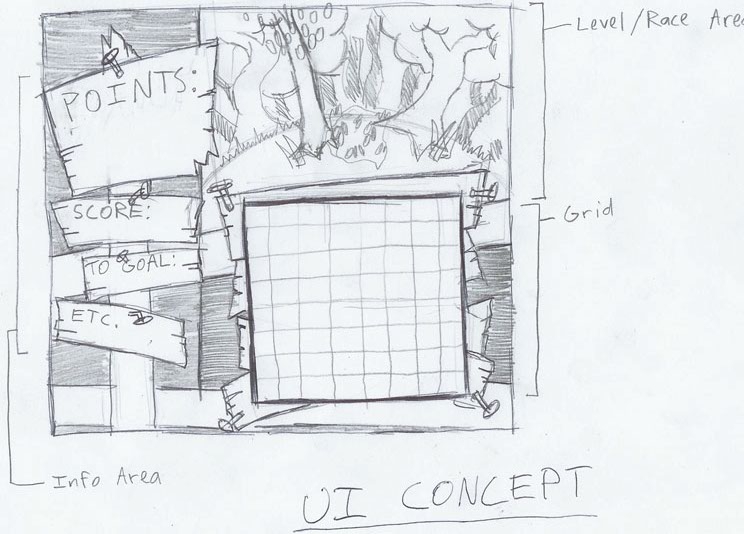
UI sketch from McGee/Broadway (2007)
Time and Location: TTh 1-2:20, Symonds II Lab (outside Duncan Hall)

Lab: M 4:30-6:00, Symonds II Lab

Class materials: USB-compatible wired Xbox controller. (Xbox Live account is required for testing a game on an Xbox; testing on a PC does not require one)

Instructor:
Joe Warren
Duncan 3114
x5728
jwarren@
Lab Instructor:
Powei Feng
Duncan 3113
poweif@gmail.com
Lab Instructor:
Chase Sandmann
Lab Instructor:
Kevin Maurin

Class details

Comp 160 meets TTh afternoons in Symonds II lab on the ground floor exterior of Duncan Hall. There is also a weekly one-hour afternoon lab session on C# and XNA. Since much of the class instruction involves working in groups with hands-on demonstrations on concepts, regular class and lab attendance is essential.

The first two weeks of class will consists of a quick introduction to Mathematica and C#. The next eight weeks will provide an introduction to 2D game programming in both Mathematica and C# (using XNA). Mathematica will be primarily used to demonstrate mathematical concepts and facilitate fast prototyping of games while C# and XNA will be the final production environment for Xbox-compatible games. The next two weeks will consists of a brief introduction in the basic mathematical concepts of 3D graphics while the students focus on completing the main C# project for the semester, an arcade game. In the last three weeks of class, students will break into small teams and develop their own game concept. Working with Visual Arts students, each group will generate a one-page pitch sheet for their game and construction a simple prototype version of their game in either Mathematica or C#. Students group will present their pitch sheet and game prototype to a jury consisting of Professor Warren and two members of Pi Studios.

Grades for the class will breakdown as follows:

      Mathematica module exercises 40%
Lab exercises 10%
Arcade game 35%
Jury evaluation of game proposal 15%

Note that there is no final exam for the course.

Outline

Week # Date    Topic
1 Mon Aug 22 Organizational meeting, Assignment for those without AP credit
Tue Aug 23 Class overview, Xbox demos, Why should you use Mathematica?
Th Aug 25 Getting started in Mathematica
2 Mon Aug 29 Introduction to C#, C# vs. Java syntax, review simple C# programs, Last week's lab assignment due
Tue Aug 30 Towards programming in Mathematica
Th Sep 1 Visualizing your solutions with Mathematica
3 Tue/Wed Sep 6/7 C# GUI Programming,
Tue Sep 6 Dynamic visualization in Mathematica
Th Sep 8 Coordinates systems, vectors, and transformations in Mathematica
4 Mon Sep 12 Sprites
Tue Sep 13 Creating user-interfaces in Mathematica
Th Sep 15 Keyboard and mouse input in Mathematica
5 Mon Sep 19 Keyboard and mouse input in C#
Tue Sep 20 GamePad input in Mathematica
Th Sep 22 Networking in Mathematica Server, Client
6 Mon Sep 26 GamePad input in C#
Tue Sep 27 Networking in Mathematica Server, Client (continued)
Th Sep 29 Continuation computation using Dynamic
7 Mon Oct 3 Simple physics and collision detection
Tue Oct 4 Modeling Physics
Th Oct 6 Computing Distances, Collisions, and Reflections
8 Mon Oct 10 Midterm recess
Tue Oct 11 Midterm recess
Th Oct 14 Arcade game specification due
Visual and audio effects in Mathematica
9 Mon Oct 17 Particle systems
Tue Oct 18 Visual and audio effects in Mathematica (continued)
Th Oct 20 Time to work on arcade game
10 Mon Oct 24 Arcade game main control scheme due
Time to work on arcade game
Arcade game ideas for enemy behavior & GUI
Tue Oct 25 Time to work on arcade game
Th Oct 27 Time to work on arcade game
11 Mon Oct 31 Sound and Text in C#
Tue Nov 1 The basics of 3D graphics in Mathematica
Th Nov 3 The basics of 3D graphics in Mathematica (continued)
12 Mon Nov 7 Reading from a File
Arcade game basic interactivity due
Time to work on arcade game
Tue Nov 8 Time to work on arcade game
Th Nov 10 Time to work on arcade game
13 Mon Nov 14 Arcade game demonstrations
Tue Nov 15 Final game group formation and concept discussion
Th Nov 17 Continue game concept discussion
14 Mon Nov 21 Begin game prototype construction
Tue Nov 22 Draft of pitch sheet due, continue prototype construction
Th Nov 24 Thanksgiving Recess
15 Mon Nov 28 Continue game prototype construction
Tue Nov 29 Pitch sheet feedback, continue prototype construction
Th Dec 1 Prototype demo and feedback
16 Jury evaluation of pitch sheet and game prototype

XNA Tools

Below are some tools you can use with your XNA games. None of these are required for the course, but you may find them useful on your project, or just wish to play around with them. All tools below come from the XNA Content Catalog.